
Questions? Answered.
Everything about playing our PS5 in your browser: what it costs (nothing), what you need (a browser), and how the queue works.

Getting started
Is PlayMyPS5 free?
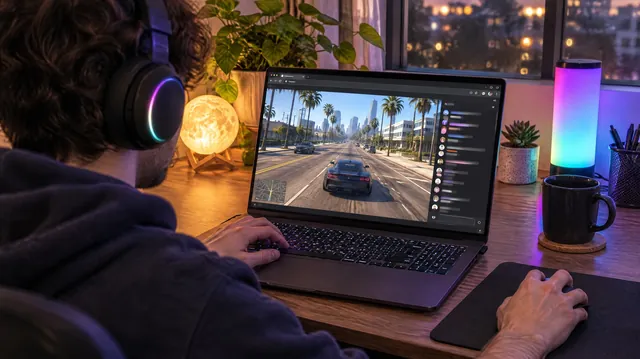
Yes, completely free. Watching is free and every turn on the controller is free. There's nothing to buy and no subscription.
Do I need my own PS5 or a PlayStation account?
No. You play our PS5. You don't need a console, a PlayStation account or a copy of the game. Everything runs on our machine and streams to your browser.
Do I need to sign up or download anything?
No account and no download. Pick a nickname and you're in. It runs in any modern browser, so it's the quickest way to play PS5 in a browser without installing anything.
How do I get a turn?
Pick a nickname, press Join queue and wait for your spot. When you're up you have 20 seconds to press start, then the controller is yours for 5 minutes. See How it works for the full walkthrough.
What game is on right now?
Right now it's GTA VI. The game on the console can change; whatever is running is what you play. You can always see it live before you join the queue.
Playing
Can I play GTA 6 online in my browser here?
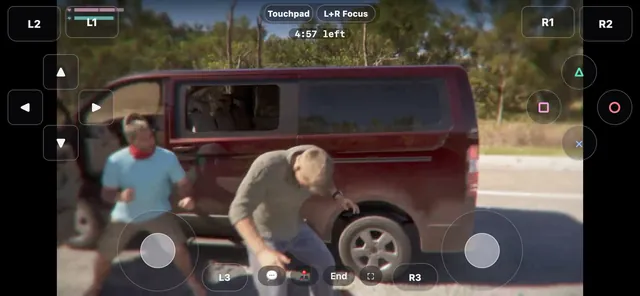
Yes. While GTA VI is on the console, your turn means you're driving, shooting and exploring in GTA VI on a real PS5, straight from your browser. It's a shared console, so it's one player at a time with 5-minute turns.
Which controls can I use?
A gamepad (DualSense, DualShock 4, Xbox or any standard pad), keyboard and mouse, or the on-screen touch controller on phones and tablets. With keyboard and mouse, the mouse moves the camera, left click shoots, right click aims, and B toggles driving mode (W gas, S brake). All keys can be remapped. Full tables are on How it works.
Can I play on my phone or tablet?
Yes. An on-screen controller appears on touch screens: drag the left circle to move, the right circle to look, tap buttons to press them. Hold your phone sideways. On iPhone, add the site to your Home Screen if you want turn notifications.
Which browsers work best?
Chrome and Edge on desktop give the best results, especially with gamepads. Firefox and Safari work too. Keep your browser up to date.
Is there lag?
It's PS5 cloud play over the internet, so there's a small delay, usually low enough for driving and shooting. A wired or strong Wi-Fi connection helps most. Press F2 on the play page to see live connection stats.
The queue
Why was I skipped?
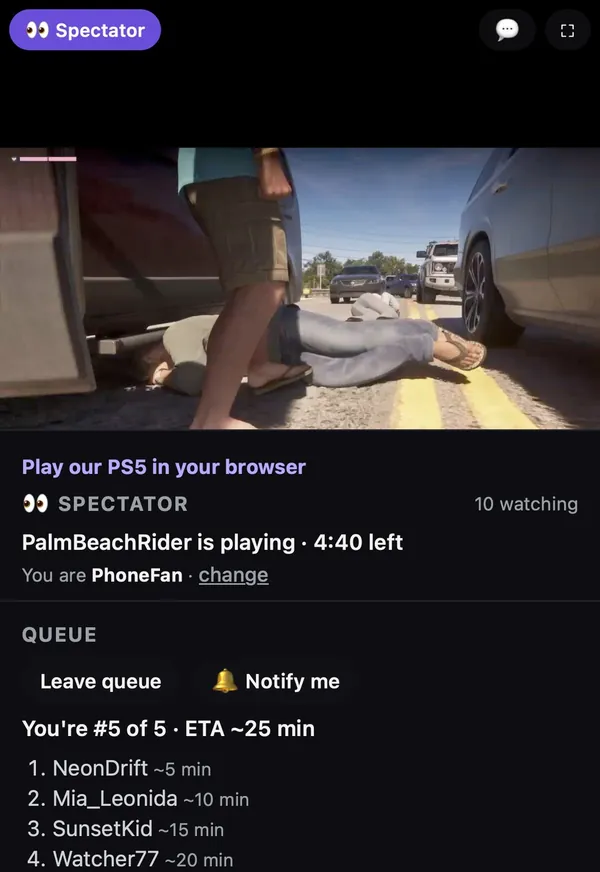
There are three reasons. You didn't press start within 20 seconds of your turn coming up; you didn't send any input for 30 seconds during your turn (AFK); or you were away from the page for more than 2 minutes and lost your place. Join the queue again to get another turn.
Can I leave the tab while I wait?
For a short while, yes. Switch tabs for up to 2 minutes and you keep your spot. Turn on Notify me to get a sound, title flash or notification when you're next.
How long is a turn and can I play again?
Each turn is 5 minutes. When it ends, the controller goes to the next player. You can re-join the queue straight away for another go.
How many people can watch?
As many as like. Watching is unlimited; only the controller is one-at-a-time.
Watching & community

Can I watch on Twitch, Kick or YouTube?
Yes. The same PS5 is streamed live at twitch.tv/playmyps5, kick.com/playmyps5 and youtube.com/@playmyps5. To take the controller, come back to playmyps5.com.
Is it safe? What are the chat rules?
We don't ask for an email, password or payment, and we don't need any personal information. Your nickname is the only thing others see. In chat: be decent, no hate, harassment or spam, and never share personal info (yours or anyone's). Rule-breakers can be removed. The game may contain mature content, so it's meant for players old enough for the game being played.
Is this official or made by Sony or Rockstar?
No. PlayMyPS5 is an independent fan project: a PS5 we own, put online for anyone to play. We are not affiliated with Sony Interactive Entertainment or Rockstar Games.
Still wondering? Just try it.
Watching is instant. Joining the queue takes one click.
Open the live PS5